How to read a MoyoMap
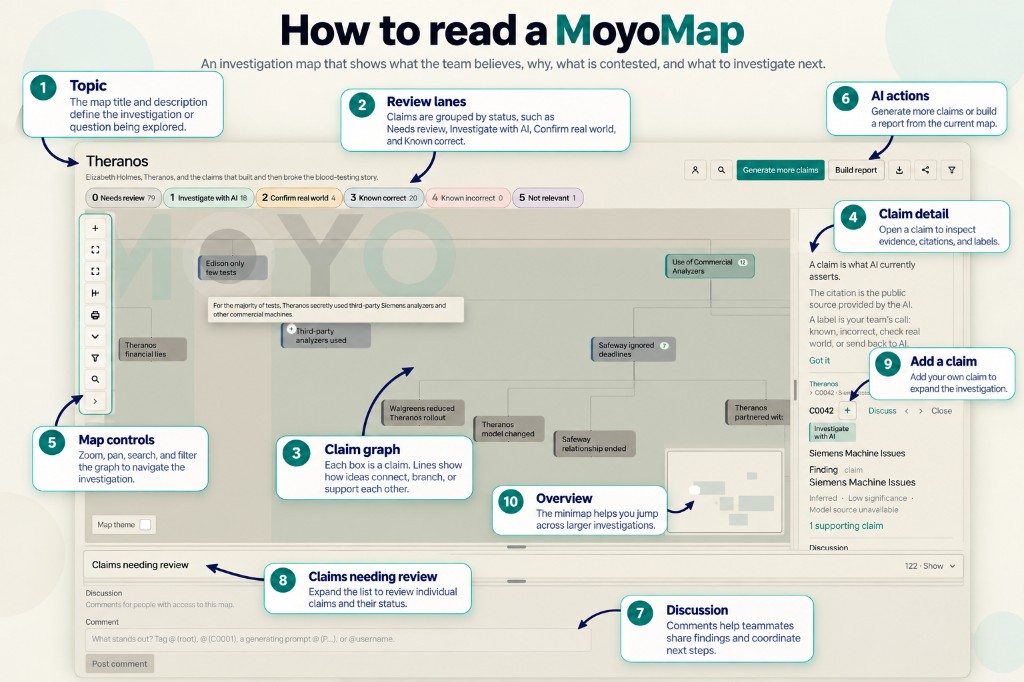
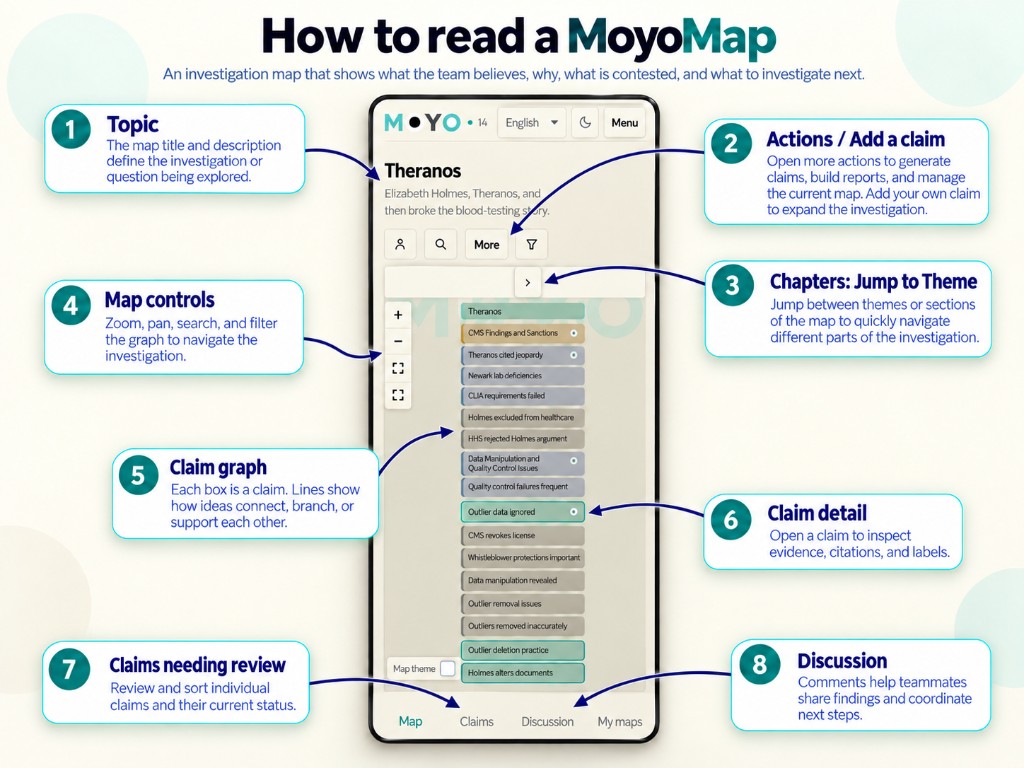
Annotated desktop and mobile screenshots of the topic, claim map, claim panel, map controls, discussion, and claims list.
These annotated screenshots label the main parts of a map: the topic, review lanes, claim map, claim detail, controls, AI actions, discussion, and the claims list. Switch between desktop and mobile layouts with the tabs.
For step-by-step practice with keyboard shortcuts, see the walkthrough guide or start the interactive tour on the home page.